
Premium
Diptych & Triptych Maker
Create a diptych or triptych from 2 or 3 photos and download as PNG
30 days free
Try Diptych & Triptych Maker with Premium
I built these tools for my own shoots, and you're welcome to use them for yours. With Premium, you get the whole lot, plus extra features in the free tools. Create a free account and try it all free for 30 days, starting straight away.
- All 60 tools, including every Premium tool
- Save your shot lists, checklists and selections
- Plan shoots and log locations with GPS
- Get an AI review of your photography website
- Extra features in the free tools
- Try new tools first
No credit card. Premium stops automatically. Free tools keep working.
Premium afterwards: €2.99 a month or €19.99 a year.
Diptych & Triptych Maker: how it works
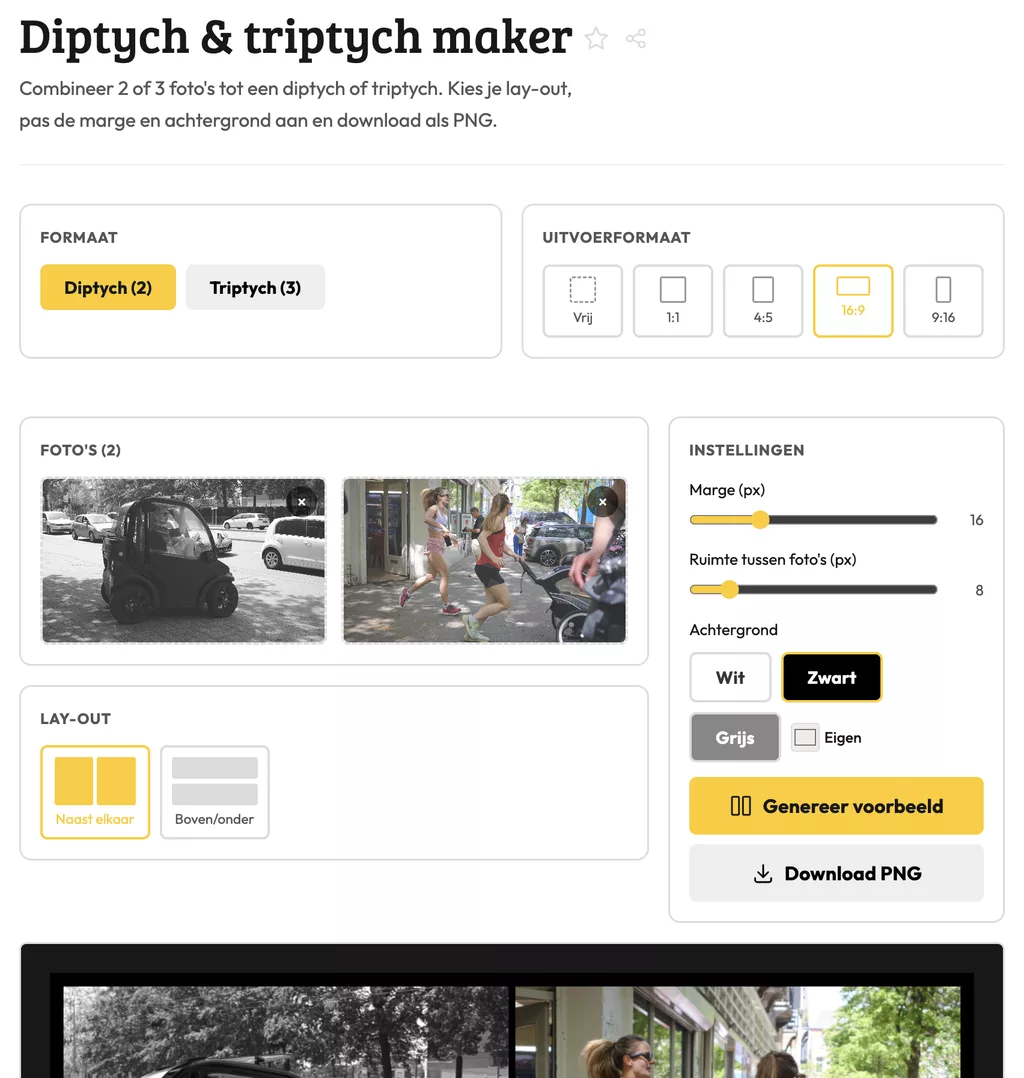
This tool lets you combine two or three photos into a single diptych or triptych and download the result as a PNG. It saves you from opening Photoshop every time you want to present a series as one image. Photographers use it for portfolio pages, social media posts, or submitting work to exhibitions that require a single file.
What diptychs and triptychs actually do
A diptych puts two images side by side. A triptych adds a third. The idea is simple: you create a visual relationship between frames that would read differently on their own. Before-and-after comparisons, two angles of the same scene, three moments from a single shoot.
The tool arranges your photos and exports the combined image as a PNG. PNG is lossless, so you keep the quality of your originals. If your source files differ significantly in height or aspect ratio, expect some white space or scaling to fit the layout.
Fitting this into your workflow
Galleries and print labs often ask for one file per artwork. Sending three separate JPEGs for a triptych rarely works out well in practice. Exporting as a single PNG gives you one clean file to submit, embed, or print.
For social media, a triptych posted as one image keeps the sequence intact. Platforms sometimes reorder or compress multi-image posts in unpredictable ways. One file removes that variable entirely.
Frequently asked questions
How do I get clean alignment when shooting photos for a diptych?
Shoot at the same focal length and keep your horizon at a consistent height across frames. When the images share the same crop and orientation, the tool lines them up without visible gaps or size differences.
Can I use portrait and landscape photos together in a triptych?
You can, but mixing orientations forces the tool to scale one or more images down to fit the others. The result often looks unbalanced. Sticking to one orientation gives a more consistent final image.
Why does the file come out as PNG and not JPEG?
PNG compresses without losing data, which matters if you plan to print or edit the file further. If you need a smaller file for web use, convert the PNG to JPEG after downloading. You keep full quality in the original export that way.
Diptych & Triptych Maker: how it works
This tool lets you combine two or three photos into a single diptych or triptych and download the result as a PNG. It saves you from opening Photoshop every time you want to present a series as one image. Photographers use it for portfolio pages, social media posts, or submitting work to exhibitions that require a single file.
What diptychs and triptychs actually do
A diptych puts two images side by side. A triptych adds a third. The idea is simple: you create a visual relationship between frames that would read differently on their own. Before-and-after comparisons, two angles of the same scene, three moments from a single shoot.
The tool arranges your photos and exports the combined image as a PNG. PNG is lossless, so you keep the quality of your originals. If your source files differ significantly in height or aspect ratio, expect some white space or scaling to fit the layout.
Fitting this into your workflow
Galleries and print labs often ask for one file per artwork. Sending three separate JPEGs for a triptych rarely works out well in practice. Exporting as a single PNG gives you one clean file to submit, embed, or print.
For social media, a triptych posted as one image keeps the sequence intact. Platforms sometimes reorder or compress multi-image posts in unpredictable ways. One file removes that variable entirely.
Frequently asked questions
How do I get clean alignment when shooting photos for a diptych?
Shoot at the same focal length and keep your horizon at a consistent height across frames. When the images share the same crop and orientation, the tool lines them up without visible gaps or size differences.
Can I use portrait and landscape photos together in a triptych?
You can, but mixing orientations forces the tool to scale one or more images down to fit the others. The result often looks unbalanced. Sticking to one orientation gives a more consistent final image.
Why does the file come out as PNG and not JPEG?
PNG compresses without losing data, which matters if you plan to print or edit the file further. If you need a smaller file for web use, convert the PNG to JPEG after downloading. You keep full quality in the original export that way.