
Premium
Photography Price Calculator
Calculate a fair rate for your assignment, including travel, equipment and VAT
30 days free
Try Photography Price Calculator with Premium
I built these tools for my own shoots, and you're welcome to use them for yours. With Premium, you get the whole lot, plus extra features in the free tools. Create a free account and try it all free for 30 days, starting straight away.
- All 60 tools, including every Premium tool
- Save your shot lists, checklists and selections
- Plan shoots and log locations with GPS
- Get an AI review of your photography website
- Extra features in the free tools
- Try new tools first
No credit card. Premium stops automatically. Free tools keep working.
Premium afterwards: €2.99 a month or €19.99 a year.
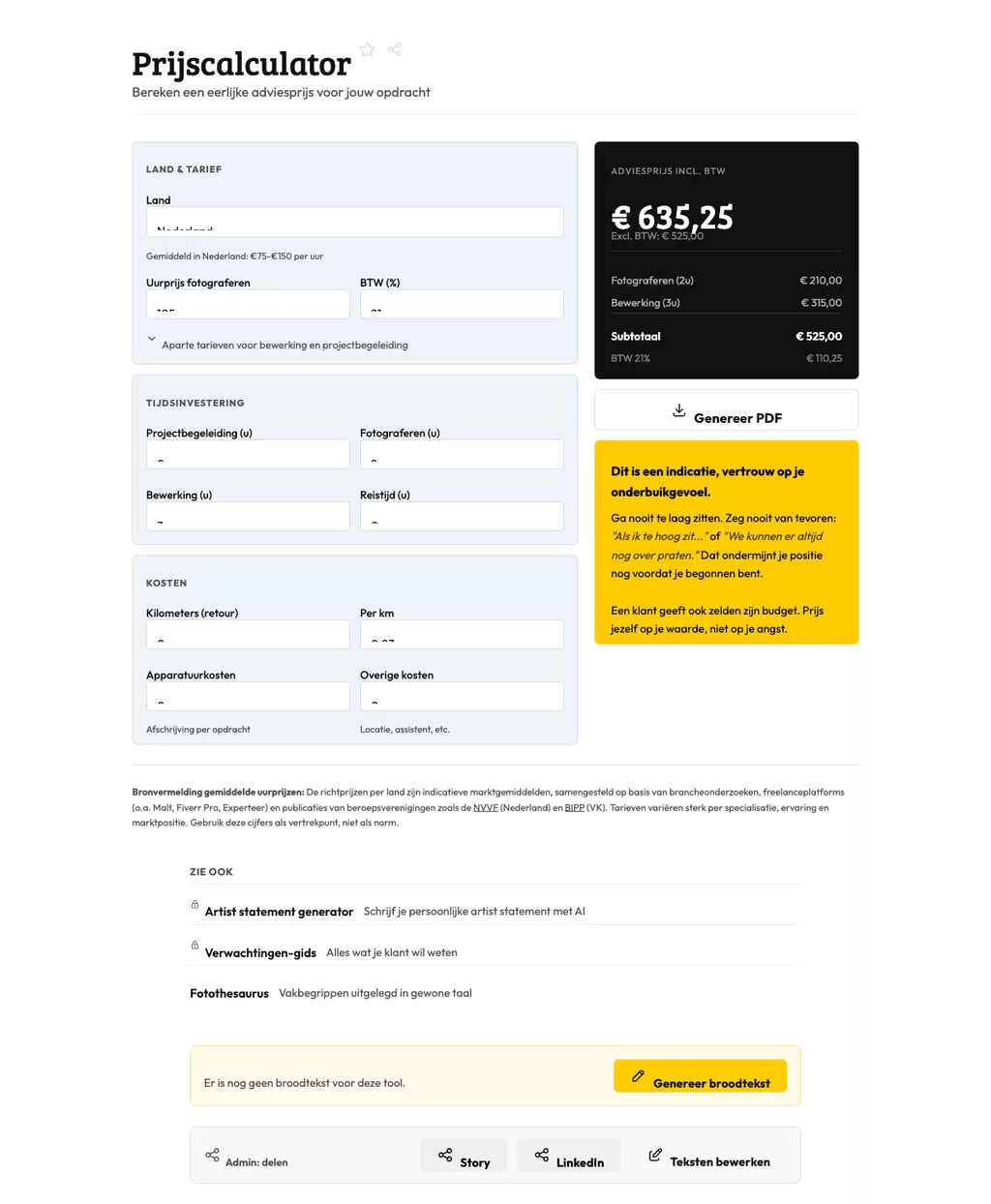
Photography Price Calculator: how it works
The photography price calculator helps you work out a fair rate for an assignment, covering your time, travel, gear costs and VAT. Use it whenever a client asks for a quote and you want to make sure nothing gets left out. Fill in the variables and you get a concrete figure to base your proposal on.
What the calculator factors into the price
The tool goes beyond a simple hourly rate. You enter travel time, mileage, equipment hire and your VAT rate separately, and the calculator adds them into a single total. That way you can see exactly what drives the final number.
It also makes your quote easier to defend. Instead of sending a client one lump sum, you have a breakdown you can walk them through line by line if they push back.
Using the suggested price as a starting point for negotiations
The output is an advised price, not a fixed one. It reflects the inputs you chose: hours, costs, margin. From that figure you negotiate up or down, or you adjust the inputs if the scope of the shoot turns out to be different from what you expected.
For photographers moving into freelance work, this is a practical way to avoid undercharging. The calculator shows you the realistic floor based on your actual costs before you name a number to the client.
Frequently asked questions
How do I charge a client for travel costs on a shoot?
Enter the distance and your mileage rate in the calculator. Travel costs appear as a separate line in the total, which keeps your day rate clean and makes the surcharge transparent to the client.
Should I quote prices including or excluding VAT to clients?
Always show both. Quote the net amount and the VAT amount separately so there are no surprises on the invoice. The calculator splits these automatically once you enter your VAT percentage.
How do I know if my hourly rate covers my actual costs?
Enter your overhead, desired monthly income and average billable hours per month. The calculator shows whether your rate leaves enough margin, or whether you need to adjust before you send the next quote.
Photography Price Calculator: how it works
The photography price calculator helps you work out a fair rate for an assignment, covering your time, travel, gear costs and VAT. Use it whenever a client asks for a quote and you want to make sure nothing gets left out. Fill in the variables and you get a concrete figure to base your proposal on.
What the calculator factors into the price
The tool goes beyond a simple hourly rate. You enter travel time, mileage, equipment hire and your VAT rate separately, and the calculator adds them into a single total. That way you can see exactly what drives the final number.
It also makes your quote easier to defend. Instead of sending a client one lump sum, you have a breakdown you can walk them through line by line if they push back.
Using the suggested price as a starting point for negotiations
The output is an advised price, not a fixed one. It reflects the inputs you chose: hours, costs, margin. From that figure you negotiate up or down, or you adjust the inputs if the scope of the shoot turns out to be different from what you expected.
For photographers moving into freelance work, this is a practical way to avoid undercharging. The calculator shows you the realistic floor based on your actual costs before you name a number to the client.
Frequently asked questions
How do I charge a client for travel costs on a shoot?
Enter the distance and your mileage rate in the calculator. Travel costs appear as a separate line in the total, which keeps your day rate clean and makes the surcharge transparent to the client.
Should I quote prices including or excluding VAT to clients?
Always show both. Quote the net amount and the VAT amount separately so there are no surprises on the invoice. The calculator splits these automatically once you enter your VAT percentage.
How do I know if my hourly rate covers my actual costs?
Enter your overhead, desired monthly income and average billable hours per month. The calculator shows whether your rate leaves enough margin, or whether you need to adjust before you send the next quote.