
30 days free
Try Shot List Maker with Premium
I built these tools for my own shoots, and you're welcome to use them for yours. With Premium, you get the whole lot, plus extra features in the free tools. Create a free account and try it all free for 30 days, starting straight away.
- All 60 tools, including every Premium tool
- Save your shot lists, checklists and selections
- Plan shoots and log locations with GPS
- Get an AI review of your photography website
- Extra features in the free tools
- Try new tools first
No credit card. Premium stops automatically. Free tools keep working.
Premium afterwards: €2.99 a month or €19.99 a year.
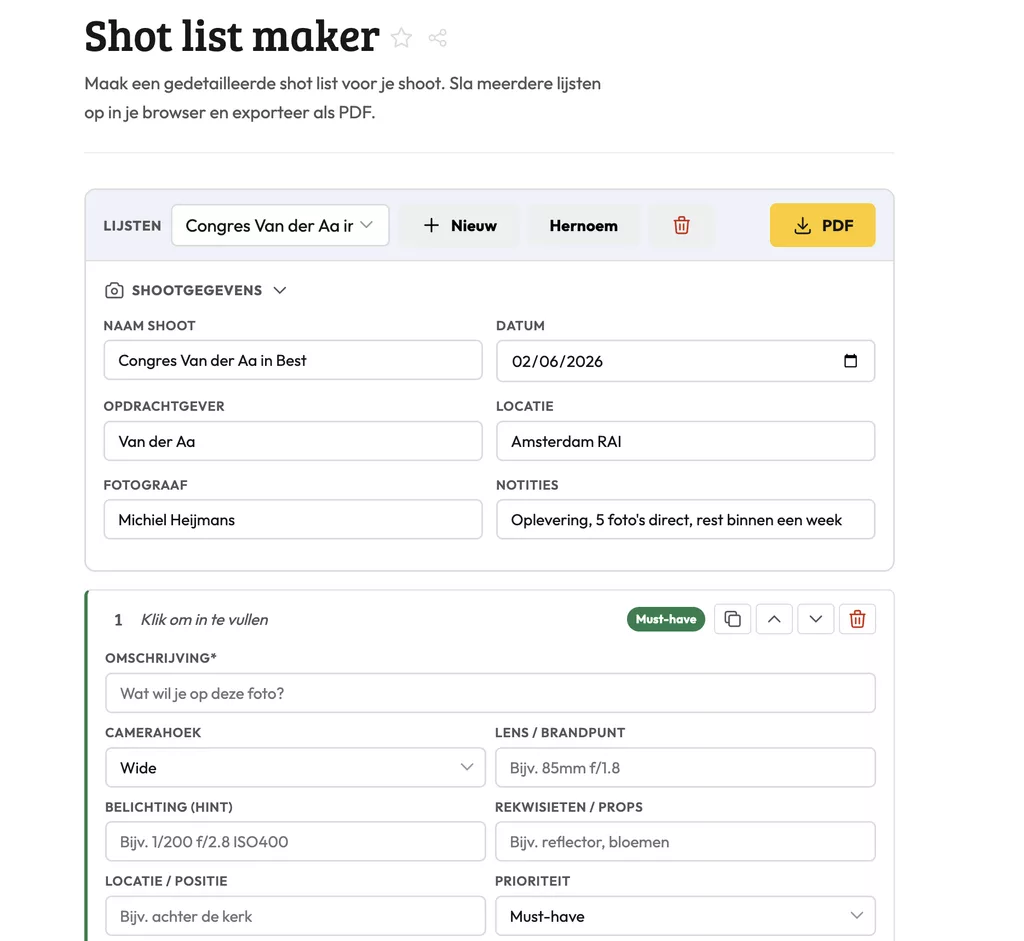
Shot List Maker: how it works
A shot list gives you a clear overview of every shot you want to capture during a session. This tool lets you build that list quickly and export it as a PDF to take on location or share with a client or second shooter. It comes in handy for commercial jobs, weddings or portrait sessions where you need to stay on schedule.
How a shot list keeps a shoot on track
Going into a shoot without a written plan works fine for editorial or documentary work. Once a client has specific deliverables in mind, or you are working with an assistant or a team, a shared reference saves a lot of time.
Building the list in advance also forces you to estimate timing per setup, figure out which locations you are hitting in which order, and separate the must-get shots from the ones you go for if time allows.
Exporting and sharing the PDF
The export function converts your list into a clean PDF you can print, email to a stylist or second shooter, or archive for future reference. If you shoot the same client again, you have a solid starting point.
The layout stays simple on purpose. No unnecessary formatting, just the information that needs to be on the page, readable on a phone screen as easily as on a printed sheet.
Frequently asked questions
How many shots should I put on a list for a full wedding day?
Most photographers work with 30 to 60 line items for a wedding, split by time of day or location. That way the list doubles as a rough schedule you can hand to your second shooter.
Can I edit the shot list after I have exported it?
The PDF itself is not editable, but you can reopen the tool, update your list and export a new version. Keep the session open if you expect changes before the shoot.
Do I need to create an account to use the shot list maker?
No account needed. Open the tool, build your list and export the PDF straight away. Sharing it with a client or team member is up to you, they just need a PDF reader.
Shot List Maker: how it works
A shot list gives you a clear overview of every shot you want to capture during a session. This tool lets you build that list quickly and export it as a PDF to take on location or share with a client or second shooter. It comes in handy for commercial jobs, weddings or portrait sessions where you need to stay on schedule.
How a shot list keeps a shoot on track
Going into a shoot without a written plan works fine for editorial or documentary work. Once a client has specific deliverables in mind, or you are working with an assistant or a team, a shared reference saves a lot of time.
Building the list in advance also forces you to estimate timing per setup, figure out which locations you are hitting in which order, and separate the must-get shots from the ones you go for if time allows.
Exporting and sharing the PDF
The export function converts your list into a clean PDF you can print, email to a stylist or second shooter, or archive for future reference. If you shoot the same client again, you have a solid starting point.
The layout stays simple on purpose. No unnecessary formatting, just the information that needs to be on the page, readable on a phone screen as easily as on a printed sheet.
Frequently asked questions
How many shots should I put on a list for a full wedding day?
Most photographers work with 30 to 60 line items for a wedding, split by time of day or location. That way the list doubles as a rough schedule you can hand to your second shooter.
Can I edit the shot list after I have exported it?
The PDF itself is not editable, but you can reopen the tool, update your list and export a new version. Keep the session open if you expect changes before the shoot.
Do I need to create an account to use the shot list maker?
No account needed. Open the tool, build your list and export the PDF straight away. Sharing it with a client or team member is up to you, they just need a PDF reader.