
Premium
Session Preparation
Send your model a professional shoot preparation: outfit advice, location and more
30 days free
Try Session Preparation with Premium
I built these tools for my own shoots, and you're welcome to use them for yours. With Premium, you get the whole lot, plus extra features in the free tools. Create a free account and try it all free for 30 days, starting straight away.
- All 60 tools, including every Premium tool
- Save your shot lists, checklists and selections
- Plan shoots and log locations with GPS
- Get an AI review of your photography website
- Extra features in the free tools
- Try new tools first
No credit card. Premium stops automatically. Free tools keep working.
Premium afterwards: €2.99 a month or €19.99 a year.
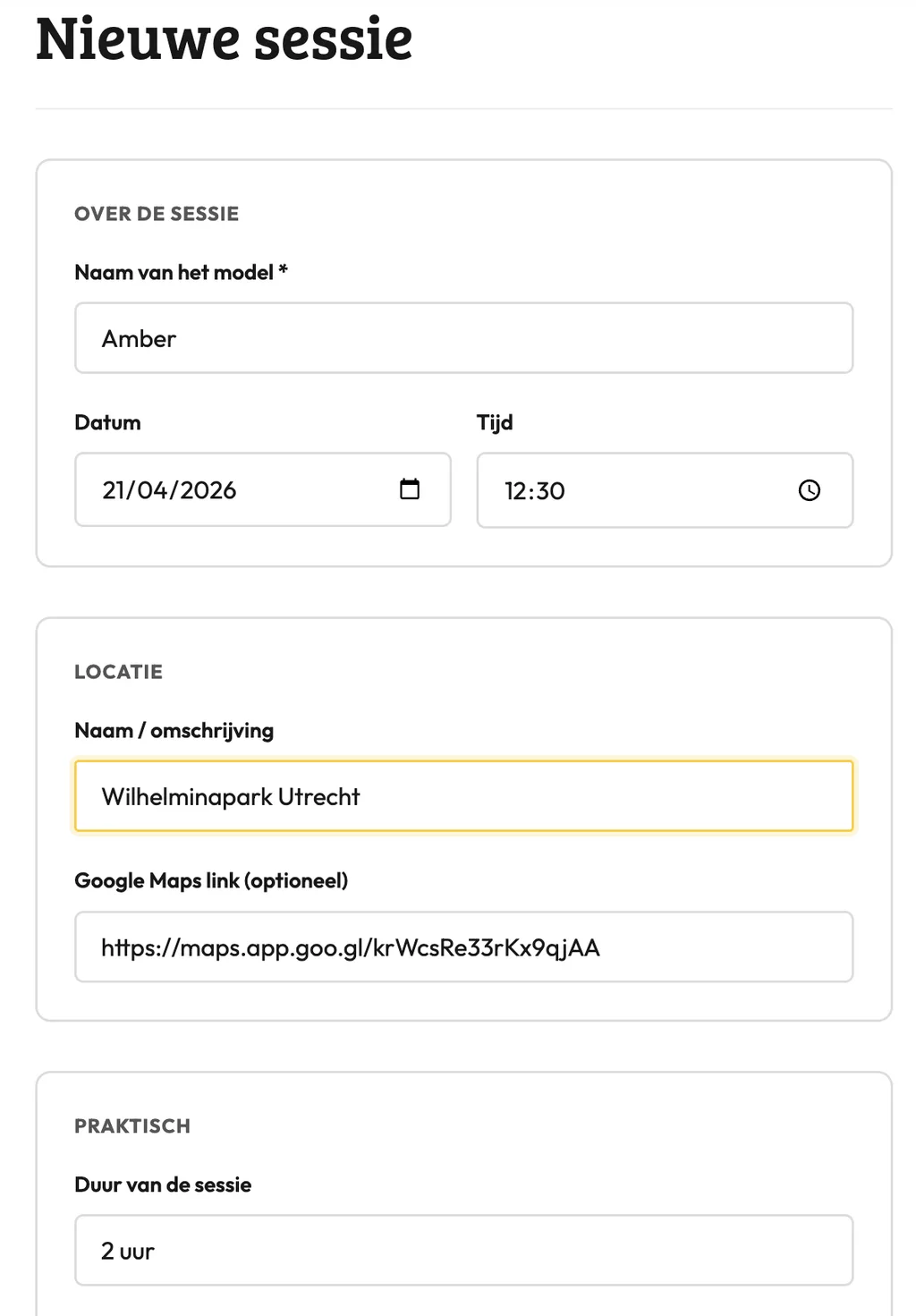
Session Preparation: how it works
The Session Preparation tool builds a ready-to-send checklist for your model before the shoot. You fill in the details, and the tool turns them into a clear overview covering outfit advice, location info and timing. Use it whenever you're working with a new model or planning a shoot with multiple looks.
What goes into the preparation?
The checklist covers the things models most often get wrong: which clothes to bring, how to prepare hair and skin, where to be and at what time. You decide which fields to fill in. Leave the rest blank.
Sending one link or PDF cuts down the back-and-forth. The model has everything in one place, and you stop answering the same questions over and over.
When should you send it?
Send the prep as soon as the session is confirmed, not the night before. Your model may need time to pick up specific clothing or book a hair appointment. Two to three days ahead is a practical window.
For commercial shoots or when working with people who haven't shot much before, adding a reference photo or moodboard helps. The tool includes a notes field where you can drop that kind of context.
Frequently asked questions
How do I send the session prep to my model?
The tool generates a block of text you copy into a message, email or PDF. There's no built-in send function, so you share it through your own channel.
Can I tailor the checklist for a specific type of shoot?
Yes, you only fill in the fields that apply to your session. Outfit guidance for a corporate portrait looks different from a lifestyle shoot, so you adjust the content each time.
What if my model shows up unprepared despite the checklist?
A quick follow-up message asking "did you get the prep?" works better than assuming they read it. The checklist gives you something concrete to refer back to if there's confusion on the day.
Session Preparation: how it works
The Session Preparation tool builds a ready-to-send checklist for your model before the shoot. You fill in the details, and the tool turns them into a clear overview covering outfit advice, location info and timing. Use it whenever you're working with a new model or planning a shoot with multiple looks.
What goes into the preparation?
The checklist covers the things models most often get wrong: which clothes to bring, how to prepare hair and skin, where to be and at what time. You decide which fields to fill in. Leave the rest blank.
Sending one link or PDF cuts down the back-and-forth. The model has everything in one place, and you stop answering the same questions over and over.
When should you send it?
Send the prep as soon as the session is confirmed, not the night before. Your model may need time to pick up specific clothing or book a hair appointment. Two to three days ahead is a practical window.
For commercial shoots or when working with people who haven't shot much before, adding a reference photo or moodboard helps. The tool includes a notes field where you can drop that kind of context.
Frequently asked questions
How do I send the session prep to my model?
The tool generates a block of text you copy into a message, email or PDF. There's no built-in send function, so you share it through your own channel.
Can I tailor the checklist for a specific type of shoot?
Yes, you only fill in the fields that apply to your session. Outfit guidance for a corporate portrait looks different from a lifestyle shoot, so you adjust the content each time.
What if my model shows up unprepared despite the checklist?
A quick follow-up message asking "did you get the prep?" works better than assuming they read it. The checklist gives you something concrete to refer back to if there's confusion on the day.