
30 days free
Try Location Log with Premium
I built these tools for my own shoots, and you're welcome to use them for yours. With Premium, you get the whole lot, plus extra features in the free tools. Create a free account and try it all free for 30 days, starting straight away.
- All 60 tools, including every Premium tool
- Save your shot lists, checklists and selections
- Plan shoots and log locations with GPS
- Get an AI review of your photography website
- Extra features in the free tools
- Try new tools first
No credit card. Premium stops automatically. Free tools keep working.
Premium afterwards: €2.99 a month or €19.99 a year.
Location Log: how it works
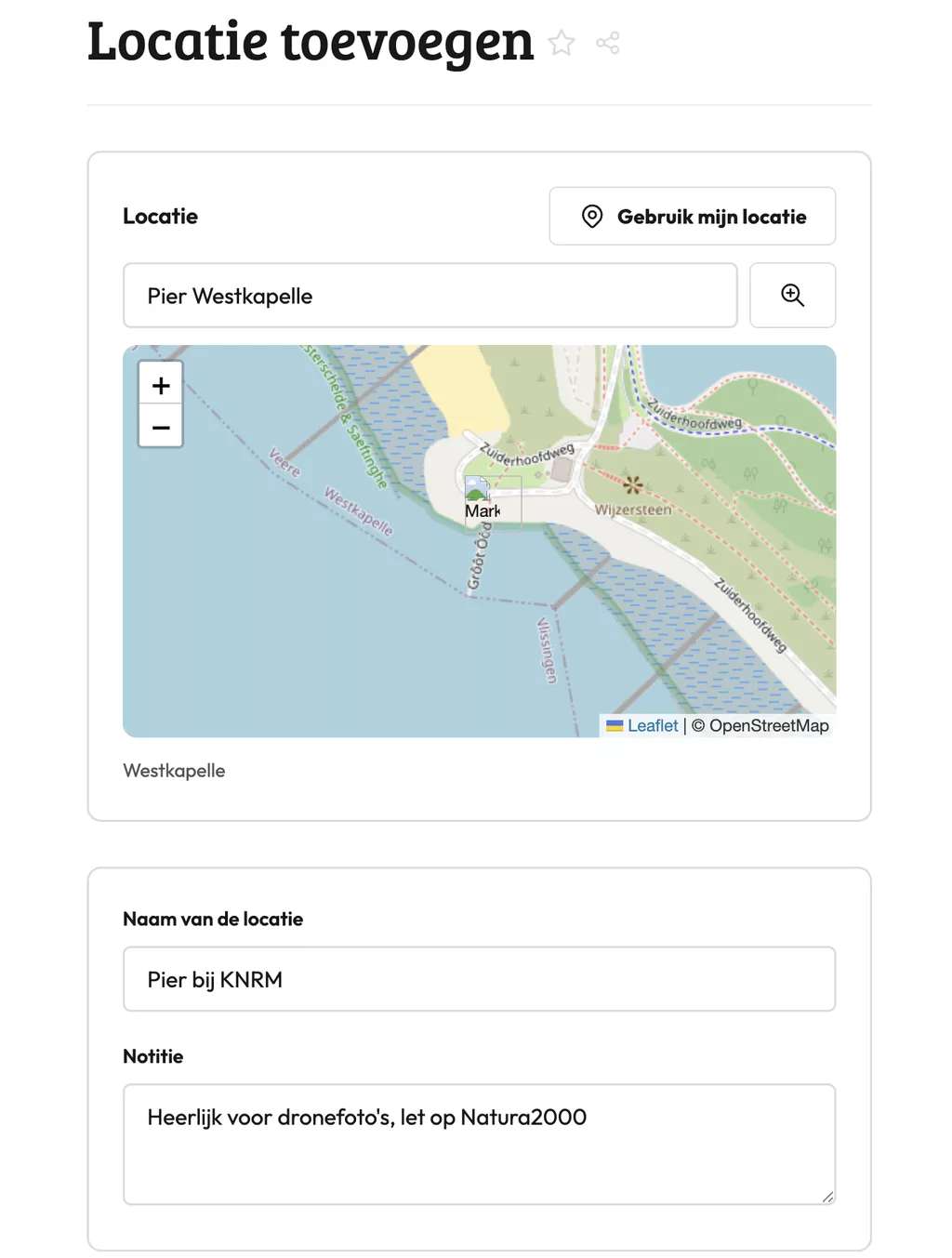
The Location Log lets you save your shooting locations with notes, ratings and reference photos. Use it whenever you scout a spot and want to remember the details that matter: where you stood, when the light works, what to avoid. Over time it becomes a personal library of locations you actually know.
What you store per location
For each spot you record what is useful to you: coordinates, the best time of day, the season, focal length, access notes, crowd levels. These are things you know on the day but forget within weeks.
Adding a reference shot, whether of the scene or your camera position, gives you instant context when you open the log months later. You see straight away whether the location works at golden hour or only under overcast skies.
How photographers use this in practice
After a scouting trip, log what you found even if you did not shoot a single frame. Next time you are planning a session, filter by rating or category and you know exactly where to start.
Photographers working on client shoots use it to prep travel itineraries. A three-star rating can mean: bring the client here. Two stars means: solid backup if the main spot falls through.
Frequently asked questions
Can I use the location log offline in the field?
The log works in your browser. If you load it before heading out, the data stays accessible without a connection. Saving new entries may require a signal depending on your setup.
How do I add GPS coordinates to a location without typing them manually?
The tool can pull your current position via the browser's location API. Tap the option to use your current location and the coordinates fill in automatically. That is the fastest way to log a spot while you are standing in it.
How do I use ratings to plan a return shoot efficiently?
Set your own rating scale before you start logging. Three stars for locations worth revisiting with a client, two for personal projects, one for spots that need better conditions. Filtering on rating then gives you a shortlist in seconds.
Location Log: how it works
The Location Log lets you save your shooting locations with notes, ratings and reference photos. Use it whenever you scout a spot and want to remember the details that matter: where you stood, when the light works, what to avoid. Over time it becomes a personal library of locations you actually know.
What you store per location
For each spot you record what is useful to you: coordinates, the best time of day, the season, focal length, access notes, crowd levels. These are things you know on the day but forget within weeks.
Adding a reference shot, whether of the scene or your camera position, gives you instant context when you open the log months later. You see straight away whether the location works at golden hour or only under overcast skies.
How photographers use this in practice
After a scouting trip, log what you found even if you did not shoot a single frame. Next time you are planning a session, filter by rating or category and you know exactly where to start.
Photographers working on client shoots use it to prep travel itineraries. A three-star rating can mean: bring the client here. Two stars means: solid backup if the main spot falls through.
Frequently asked questions
Can I use the location log offline in the field?
The log works in your browser. If you load it before heading out, the data stays accessible without a connection. Saving new entries may require a signal depending on your setup.
How do I add GPS coordinates to a location without typing them manually?
The tool can pull your current position via the browser's location API. Tap the option to use your current location and the coordinates fill in automatically. That is the fastest way to log a spot while you are standing in it.
How do I use ratings to plan a return shoot efficiently?
Set your own rating scale before you start logging. Three stars for locations worth revisiting with a client, two for personal projects, one for spots that need better conditions. Filtering on rating then gives you a shortlist in seconds.